This was a project I had a lot of fun doing, and it taught me a lot not only about software and networking, but hardware as well.
Part 1: Background
The story behind this project goes as follows: I have a very large jar of coins. It has to weigh about 20 pounds as of today. I started collecting these coins over the summer, and I wanted to find a way to keep track of them. It would be great to know how many I have, what denominations, and how much total money I have.
Enter: The Raspberry Pi Pico WH
Part 2: The Pico
The Raspberry Pi Pico is a neat little device that I believe all programmers should tinker with at least once. It is similar to Arduino Microcontrollers, with some slight differences:
- The Arduino primarily works with the C Programming Language
- The Raspberry Pi Pico primarily works in the MicroPython Programming Language
MicroPython is almost exactly the same as plain old Python. However, it is lighter, and designed to perform better on lesser hardware. It is great for beginners attempting to learn hardware and the software that communicates with it.
The base-model Pico has no network-connectivity, and is just a simple microcontroller. The model I used, the Pico WH, not only has network connectivity, but came pre-soldered with headers to connect to a breadboard.
Part 3: The Logistics
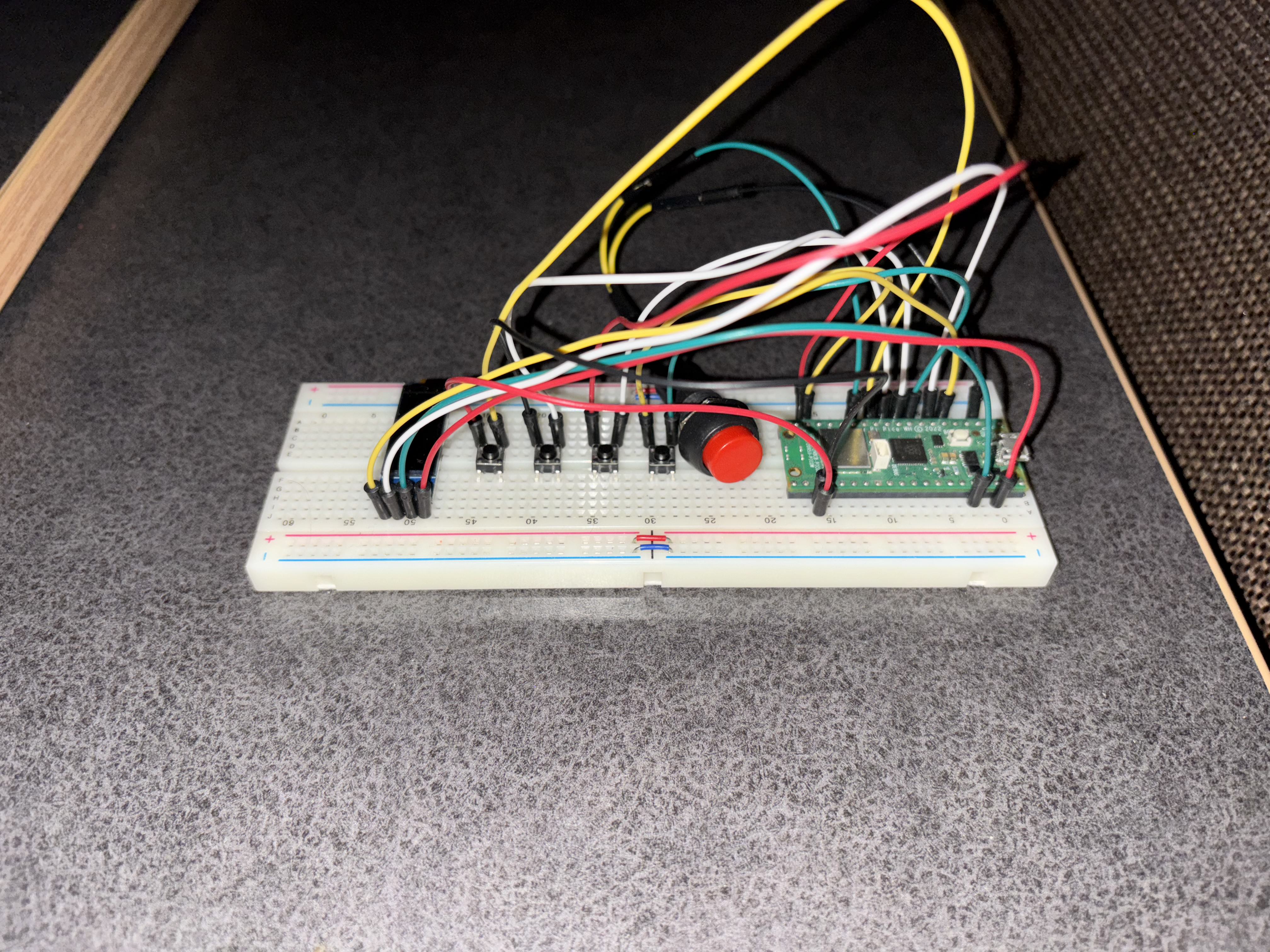
I began by placing the Pico on a breadboard, and learned quite a lot about wiring as I began finding the best way to wire the screen and buttons I needed.
The layout was as follows:
- Upon booting up, the Pico attempts to connect to the internet. It will not let you perform any actions until you do. My Wi-Fi settings are configured on the Pico itself.
- The four small buttons represent the four main denominations of coins: Penny, Nickel, Dime, and Quarter.
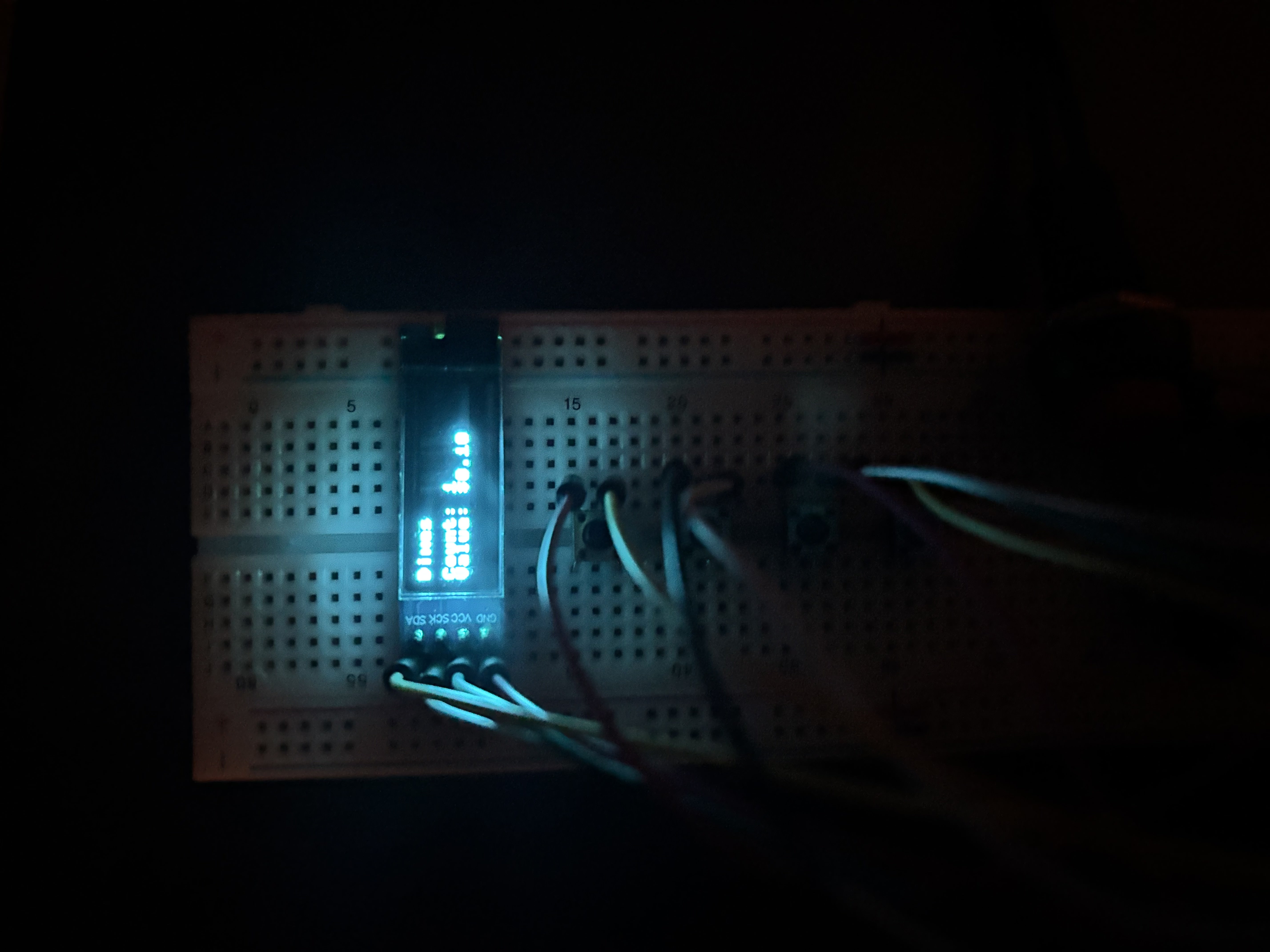
- The screen communicates with the Pico, which updates the display showing how many times the buttons have been pressed.
- The Big Red button collects the data from the button-presses, packages it up, and ships it away for storage.
But where does the data go?
Part 4: The Server
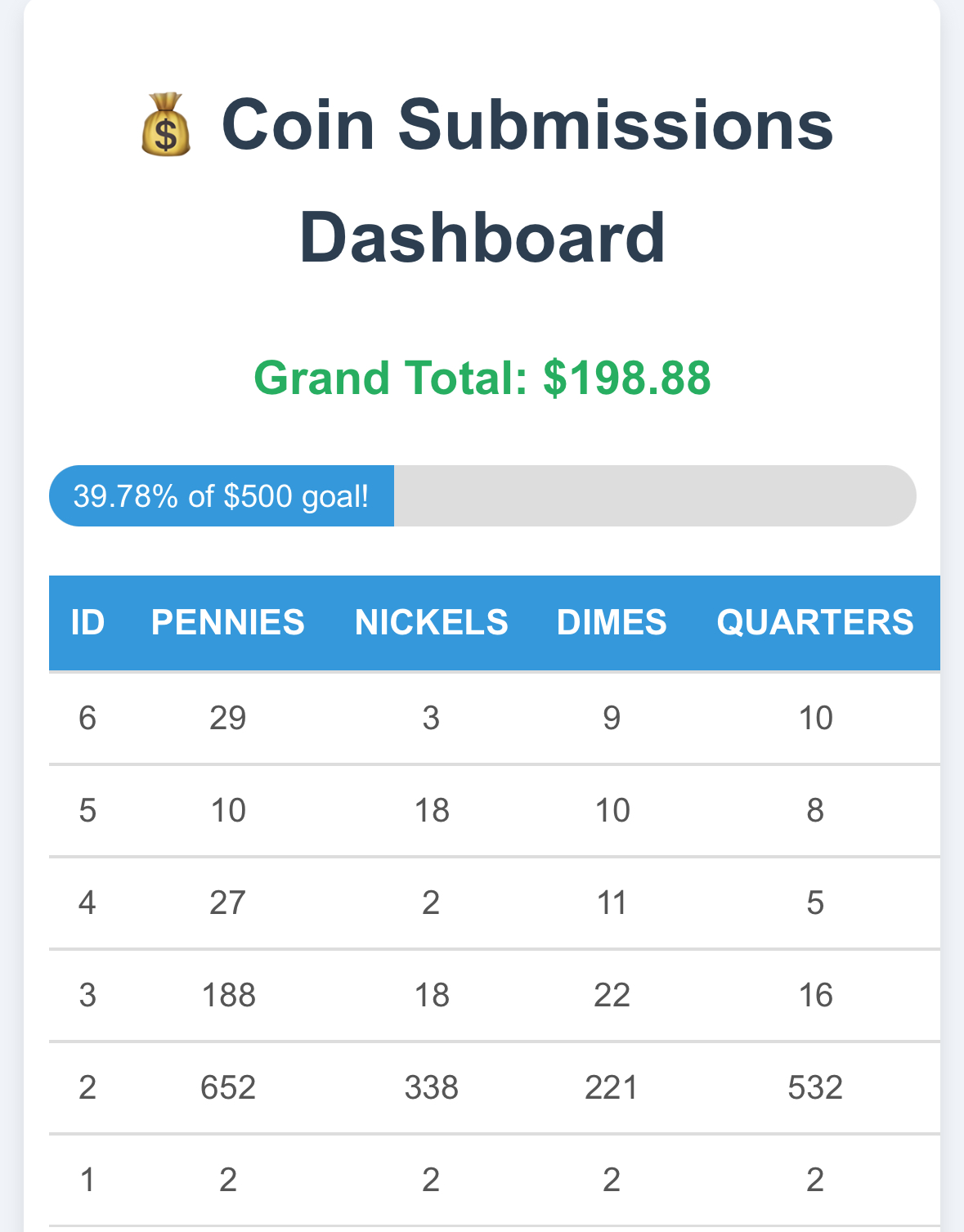
Upon pressing the red button, the data is packaged up and sent on a trip over the internet. This data ends up on my web server, stored in a SQL database. This data gets formatted into a nice, readable format I can check at any time.
You can actually view this coin database too! Navigate to coins.benjaminmosley.com.
I left it open to the public, as the pages are static (no CRUD features) — the only ways to update the coin count are:
- Using the coin device itself
- Manipulating the SQL database on the server-side
Therefore, I am happy to let people visit the site and see what I have built. All of the code I used is present on my GitHub as well (link is on the front page), if you would like to view it and perhaps build your own!
Thank you for reading — I hope you found this as interesting as I did!